Mobile Productivity for Developers: Best SSH Clients, Code Editors, and Remote Python Workflows
A comprehensive review of the top mobile SSH clients, terminal emulators, and code editors for managing remote cloud servers, debugging Docker services, and executing Python automation scripts on the go.
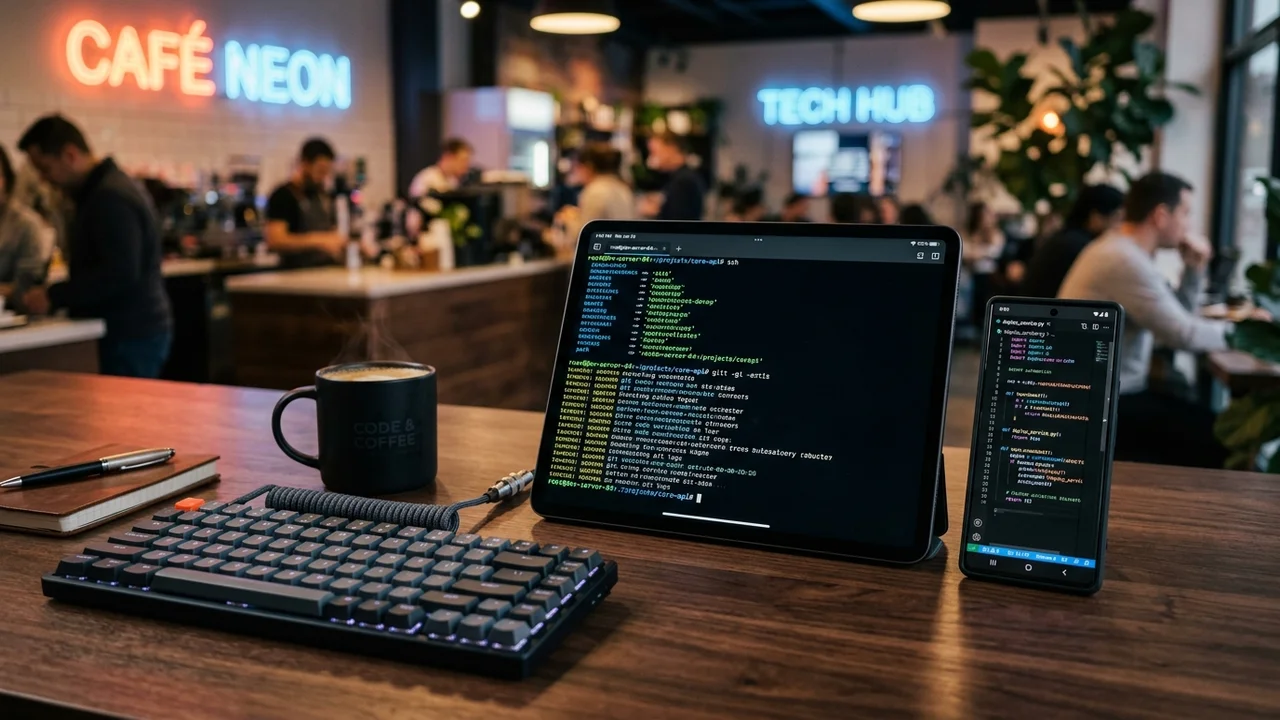
Every software engineer and DevOps professional knows the sinking feeling of receiving a high-priority incident alert while standing in line at an airport, riding a commuter train, or sitting in a coffee shop without an open laptop. A scheduled cron job failed, an automated data ingestion pipeline crashed due to an upstream API schema modification, or a production container entered a fatal crash-loop backoff.
Historically, attempting emergency triage from a mobile smartphone was an exercise in frustration. Touchscreen keyboards lacked essential modifier keys like Ctrl, Esc, or pipes (|); mobile browsers choked on complex web terminals; and aggressive mobile operating systems terminated active TCP connections the second your screen went to sleep.
Today, modern mobile hardware and sophisticated developer software have transformed smartphones and tablets into genuine engineering command centers. Equipped with high-refresh OLED panels, dedicated cellular modems, and hardware-accelerated terminal emulators, mobile devices can now handle complex remote server administration, microservice orchestration, and Python script automation with ease.
In this deep-dive review, we evaluate the best mobile SSH clients, terminal emulators, and code editors for iOS and Android, demonstrate practical remote Python automation workflows, and outline essential security hardening practices to protect your cloud infrastructure on untrusted mobile networks.
Technical Anatomy: What Separates Professional Mobile Dev Tools from Gimmicks
Before committing to a mobile terminal or code editor, you must evaluate how well the application handles the core constraints of mobile operating systems:
Mobile Developer Architecture:
┌─────────────────────────────────┐
│     Mobile Client (Phone/Tablet)│
│  ┌────────────┐ ┌─────────────┐ │
│  │ Secure Key │ │ Mobile UI   │ │
│  │ Enclave    │ │ Virtual Bar │ │
│  └──────┬─────┘ └──────┬──────┘ │
└─────────┼──────────────┼────────┘
          │ (Encrypted UDP/TCP)
          ▼
┌─────────────────────────────────┐
│ Zero-Trust WireGuard/Tailscale  │
└─────────────────┬───────────────┘
                  ▼
┌─────────────────────────────────┐
│  Remote Cloud Server / VPS      │
│  ┌────────────┐ ┌─────────────┐ │
│  │ tmux / Mosh│ │ Python 3.12 │ │
│  │ Session    │ │ VirtualEnv  │ │
│  └────────────┘ └─────────────┘ │
└─────────────────────────────────┘
1. Terminal Emulation and TrueColor Rendering
A production terminal is not a raw text box. It must accurately interpret ANSI escape sequences, support 24-bit TrueColor (xterm-256color), and handle full-screen terminal multiplexers like tmux or modal editors like Neovim without cursor desynchronization or visual tearing.
2. Session Resilience: SSH vs. Mosh
Standard SSH runs over a single TCP connection. When your smartphone transitions from 5G to public Wi-Fi—or when you lock your screen and put the phone in your pocket—the underlying IP address changes, causing the TCP connection to drop and freezing your remote shell.
Applications supporting Mosh (Mobile Shell) solve this natively. By using UDP and state synchronization (SSP), Mosh allows you to roam between networks, wake your phone from a ten-minute sleep cycle, and resume typing inside your remote tmux session without dropping a single keystroke.
3. Touch Ergonomics and Virtual Modifier Keys
Glass screens lack physical tactile response. Superior mobile SSH tools solve this by providing a customizable virtual accessory row positioned directly above the on-screen keyboard. This bar provides instant access to Esc, Tab, Ctrl, Alt, backticks (`), forward slashes (/), and direction arrows. Advanced apps also support hardware keyboard remapping (mapping Caps Lock to Control or Escape for Vim users).
4. Key Security and Biometric Sandboxing
Storing unencrypted private SSH keys on a portable phone that could be lost or stolen is an unacceptable security risk. Professional tools must support modern Ed25519 curve keys, hardware enclave integration (Apple Secure Enclave or Android StrongBox), passphrase encryption, and biometric app locks (Face ID or fingerprint recognition).
Top Mobile SSH and Terminal Clients Reviewed
We tested the leading mobile terminal clients against production Ubuntu and Debian cloud droplets hosted on AWS, Linode, and Hetzner. Here is how they performed.
1. Termius (iOS, Android, macOS, Windows, Linux)
Termius is widely recognized as the industry standard for cross-platform team operations and complex multi-server environments.
- Encrypted Cloud Vault (Zero-Knowledge AES-256): If you manage dozens of production, staging, and development nodes, manually importing private keys and IP addresses onto every new mobile device is exhausting. Termius synchronizes your entire server inventory, labels, tags, and keys using end-to-end encryption where only your master passphrase can decrypt the vault.
- Graphical Port Forwarding: Setting up local, remote, or dynamic (SOCKS5) port forwarding on mobile typically requires memorizing convoluted
-Land-Rflags. Termius replaces this with a graphical toggle, letting you securely tunnel a remote Redis instance or private web admin dashboard directly tolocalhoston your mobile browser. - Snippet Library with Parameters: You can store frequently executed multi-line maintenance scripts (e.g., clearing Docker cache, tailing Nginx error logs, restarting systemd units) and execute them on any active connection with a single tap.
- Integrated SFTP File Client: Dual-pane file browsing allows you to upload, download, and modify remote configuration files without dropping back into raw command-line tools.
Verdict: The premier choice for DevOps engineers managing multi-server fleets who need seamless cross-device synchronization.
2. Blink Shell (iOS & iPadOS)
For developers on the Apple ecosystem who demand peak visual and input performance, Blink Shell is in a class of its own.
- Metal Hardware Acceleration: Blink is built directly on Apple’s Metal graphics API. Text scrolls at a locked 120 FPS on ProMotion displays, eliminating the perceptible cursor lag that plagues web-based terminals.
- First-Class Native Mosh Integration: Blink was designed around Mosh from day one. You can open an active Neovim session on an EC2 instance, close your iPad keyboard folio, commute across the city, open the app, and continue editing immediately.
- Built-in Local UNIX Tools & Neovim: Blink embeds a local zsh-like shell with local Git binaries and Neovim, letting you clone repositories, review diffs, and stage commits locally without requiring an active internet connection.
- Nerd Fonts and Ligatures: Complete support for JetBrains Mono, Fira Code, and Powerline glyphs ensures your customized zsh prompts (such as Starship or Oh My Zsh) look as sharp on your phone as they do on a 4K studio monitor.
Verdict: The undisputed gold standard for iOS developers who live in modal editors (Vim/Neovim) and demand instantaneous terminal responsiveness.
3. Termux (Android)
Termux is far more than a simple SSH client; it is an open-source, full-fledged Linux userland environment running natively on Android without requiring root access.
- Native APT Package Manager: With a single command (
pkg install python openssh git tmux), Termux bootstraps an authentic Debian-like environment directly on your phone’s ARM64 processor. - Local Python 3 Execution: Unlike iOS, where operating system sandboxing strictly forbids arbitrary code compilation and binary execution, Termux lets you install standard
pippackages (such asrequests,httpx,paramiko,pydantic, andflask) and run Python automation scripts locally on your device. - Hardware Sensor and Android API Bridges: Through the optional Termux:API plugin, your Python automation scripts can read the phone’s battery level, trigger native Android push notifications, query GPS coordinates, or send SMS alerts.
- SSH Client and Server: You can use Termux to SSH into your cloud infrastructure, or turn your Android phone into an SSH server that you can connect to from your laptop over a local Wi-Fi network.
Verdict: The ultimate power tool for Android engineers who want a genuine local Linux workstation in their pocket.
4. JuiceSSH (Android)
For Android users who want a dedicated, lightweight SSH terminal without the complexity of configuring a full Linux userland, JuiceSSH remains a beloved staple.
- Custom Popup Modifier Keyboard: JuiceSSH features an intuitive on-screen accessory bar that lets you swipe across modifier keys to trigger complex terminal sequences.
- Volume Rocker Font Scaling: Instantly adjust terminal font size on the fly by pressing your phone’s physical volume up or down buttons—invaluable when switching from single-hand phone usage to landscape mode.
- Third-Party Plugin Architecture: Supports community plugins for AWS EC2 instance automatic discovery, port knocking, and performance monitoring.
Top Mobile Code Editors for Scripting and Patching
When an incident requires modifying dozens of lines of Python code, editing via nano or raw terminal commands over high-latency cellular connections can be cumbersome. These mobile code editors provide desktop-caliber syntax awareness and file management.
| Code Editor | Target Platforms | Key Features | Remote Storage Protocols | Best For |
|---|---|---|---|---|
| Textastic | iOS / iPadOS | 80+ language syntax highlighting, code completion, Emmet | SFTP, FTP, WebDAV, iCloud Drive | Fast remote patching on iPhone |
| Acode | Android | Open-source, Ace/Monaco engine, GitHub token integration | Local storage, SFTP plugin, Google Drive | Lightweight Python editing on Android |
| Code App | iOS / iPadOS | Built-in Node.js runtime, local Git, VS Code interface | Local sandbox, Working Copy sync | Full local web development |
| VS Code Server (Web) | Browser (Any OS) | 100% desktop VS Code experience, remote extensions | Hosted on your remote VPS / Docker | Tablet setups with external keyboards |
Running VS Code Server via Mobile Browser
If you work primarily on an iPad Pro or Samsung Galaxy Tab with a keyboard, you don’t even need a native editor app. By hosting code-server (an open-source project that runs VS Code on a remote Linux server and serves it via modern browser interfaces), you can connect through your mobile browser (Safari, Chrome, or Firefox).
When paired with a private mesh VPN like Tailscale, you get access to your entire desktop extension ecosystem, Python linters (Ruff, Flake8), integrated debuggers, and terminal splits—all accessible via a Progressive Web App (PWA) bookmark on your home screen.
Testing & Executing Python Automation on Mobile: Practical Workflow
Let us walk through a real-world engineering scenario: You are notified that a daily automated database snapshot and cloud backup task failed on your remote production server. You need to inspect the logs, test an updated Python webhook notification script, and run it safely in the background.
Step 1: Connecting via Secure Shell
Launch your mobile SSH client (such as Termius or Blink Shell) and authenticate using your encrypted Ed25519 key:
# Connect using Mosh to guarantee connection persistence
mosh sysadmin@100.92.14.85
Step 2: Attaching to an Active Multiplexer
Never execute long-running automation tasks in a bare SSH shell on mobile. If your cell signal briefly drops, the terminal hangup signal (SIGHUP) will terminate your process. Always attach to a persistent tmux session:
# Attach to an existing automation session or create a new one
tmux attach-session -t maintenance || tmux new-session -s maintenance
Step 3: Debugging and Running the Python Automation Script
Here is an example of an emergency server health and backup audit script (backup_watchdog.py) that checks disk capacity, validates backup archive integrity, and dispatches a JSON webhook alert:
#!/usr/bin/env python3
"""
Production Backup & Health Watchdog
Author: Sophia Lin
Description: Verifies disk utilization and alerts via webhook.
"""

import os
import sys
import shutil
import subprocess
import json
import urllib.request
import urllib.error

# Load webhook endpoint securely from environment or secret vault
WEBHOOK_URL = os.environ.get("ALERT_WEBHOOK_URL", "https://alerts.example.com/api/webhook")
MIN_FREE_DISK_GB = 10.0

def check_disk_space(path: str = "/") -> float:
    total, used, free = shutil.disk_usage(path)
    free_gb = free / (1024 ** 3)
    return round(free_gb, 2)

def send_alert(message: str, is_error: bool = False):
    payload = {
        "text": f"*{'CRITICAL' if is_error else 'INFO'}*: {message}"
    }
    data = json.dumps(payload).encode("utf-8")
    req = urllib.request.Request(
        WEBHOOK_URL,
        data=data,
        headers={"Content-Type": "application/json"}
    )
    try:
        with urllib.request.urlopen(req, timeout=10) as response:
            print(f"[+] Alert dispatched: HTTP {response.status}")
    except urllib.error.URLError as err:
        print(f"[-] Failed to dispatch webhook: {err}", file=sys.stderr)

def main():
    print("[*] Starting remote infrastructure audit...")
    free_gb = check_disk_space("/var/backups")
    print(f"[*] Available backup volume space: {free_gb} GB")

    if free_gb < MIN_FREE_DISK_GB:
        msg = f"Backup volume storage depleted: only {free_gb} GB remaining on /var/backups!"
        print(f"[!] {msg}", file=sys.stderr)
        send_alert(msg, is_error=True)
        sys.exit(1)

    print("[*] Disk capacity healthy. Triggering database snapshot...")
    # Example of executing an internal backup script safely
    result = subprocess.run(
        ["/opt/scripts/dump_database.sh"],
        capture_output=True,
        text=True,
        timeout=180
    )

    if result.returncode == 0:
        send_alert(f"Automated database backup completed successfully. Free space: {free_gb} GB.")
        print("[+] Maintenance routine concluded without errors.")
    else:
        send_alert(f"Backup script exited with error: {result.stderr.strip()}", is_error=True)
        sys.exit(result.returncode)

if __name__ == "__main__":
    main()
Step 4: Detaching and Monitoring
After running python3 backup_watchdog.py, you can safely detach from tmux by pressing Ctrl + B followed by D. You can now safely close your SSH app, place your phone back into your pocket, and let the remote daemon finish execution uninterrupted.
Security Best Practices: Hardening Mobile Server Access
Using your smartphone for production infrastructure requires strict adherence to security hygiene:
- Disable Password Authentication: In your remote server’s
/etc/ssh/sshd_config, ensurePasswordAuthentication noandPubkeyAuthentication yesare strictly enforced. Mobile keyboards make complex 25-character passwords prone to typos, while password-based endpoints remain vulnerable to automated brute-force attacks. - Adopt Modern Ed25519 Keys: Generate modern Ed25519 keys rather than legacy 2048-bit RSA keys. Ed25519 offers superior cryptographic resistance and generates shorter string signatures, which load faster on mobile memory.
- Hide Port 22 Behind a Mesh VPN: Never expose your cloud instances’ SSH ports (22) directly to the public internet. By running WireGuard or Tailscale on your servers and mobile devices, your infrastructure communicates entirely within an encrypted, non-routable private overlay network.
- Enforce Biometric Locks on Terminal Apps: Configure your mobile SSH client to require Face ID or fingerprint re-authentication every time the application is switched from the background, preventing unauthorized access if your unlocked phone is mishandled.
Actionable Takeaways & Recommended Mobile Dev Stacks
Depending on your mobile operating system, here are our recommended toolchains:
The Ideal iOS Developer Stack
- Terminal & SSH Client: Blink Shell (for Metal-accelerated Mosh sessions and embedded Neovim) or Termius (for encrypted cross-platform vault sync).
- Code & Config Editor: Textastic (for rapid syntax-highlighted remote file modifications via SFTP).
- Networking: Tailscale (for zero-config, encrypted access to internal server IP addresses).
The Ideal Android Developer Stack
- Terminal & Linux Environment: Termux (for native on-device Python 3.12, pip package execution, and robust OpenSSH client).
- Code Editor: Acode or self-hosted code-server in Chrome.
- Networking: WireGuard (for fast kernel-level encrypted routing).
With these modern mobile development tools in your pocket, handling urgent server maintenance, debugging microservices, and testing automation scripts is no longer tied to your office desk.