Resident Evil 4 Remake on iPhone: MetalFX Upscaling and Thermal Throttling Review
Can the A17 Pro sustain console-tier survival horror? We benchmark Resident Evil 4 frame rates, MetalFX quality presets, and controller integration.

When Apple unveiled the iPhone 15 Pro powered by the 3-nanometer A17 Pro system-on-chip, marketing executives made an audacious, historic proclamation: the smartphone was no longer confined to mobile-first casual titles or watered-down spin-offs. The iPhone was now a full-fledged, AAA home-console gaming platform capable of running Capcom’s cutting-edge Resident Evil 4 Remake—the exact same game running on PlayStation 5, Xbox Series X, and high-end PC gaming rigs.
For hardcore gaming enthusiasts, this represented the holy grail of portable gaming: carrying an uncompromising, photorealistic survival horror masterpiece featuring modern RE Engine asset pipelines, dynamic volumetric lighting, advanced hair physics, and complex AI pathfinding inside their front pocket.
Yet translating a 60-gigabyte desktop console title engineered for 200-watt home hardware onto an 8-watt passively cooled smartphone enclosed in titanium and glass is a terrifying thermal engineering challenge. Can the iPhone sustain playable frame rates past the opening village raid? Does Apple’s MetalFX spatial upscaling preserve visual fidelity? And does the game truly deliver a console experience, or is it merely an expensive technical proof-of-concept? Over 30 hours of survival horror testing, we pushed the A17 Pro to its absolute thermal limits. Here is our definitive performance audit.
Hardware Test Rig & Evaluation Methodology
Frame rates, 1% low frame times, and GPU clock stability were captured via Apple Instruments and Xcode developer telemetry over continuous 45-minute gameplay sequences. Surface chassis thermals were monitored using a calibrated FLIR thermal camera.
Evaluation Testbed:
- iPhone 15 Pro Max: Apple A17 Pro (6-core GPU with hardware ray tracing), 8GB unified memory, iOS 17.4.
- iPad Pro 12.9-inch M2: Apple M2 (10-core GPU), 16GB unified memory, iPadOS 17.4, tablet comparison unit.
Testing evaluated both handheld on-screen virtual touch controls and hardwired USB-C direct controllers (Backbone One Gen 2 and PlayStation 5 DualSense connected via USB-C).
Visual Fidelity & MetalFX: How Capcom Squeezed RE Engine onto Mobile
Booting Resident Evil 4 Remake on a 6.7-inch Super Retina XDR OLED display is a genuinely surreal experience. This is not a cloud stream or a mobile port; it is the full, uncompromised RE Engine binary compiled natively for Apple Silicon ARM64 architecture.
Leon Kennedy’s detailed leather jacket, atmospheric rain slicking the muddy cobblestones of rural Spain, volumetric fog creeping through decaying European forests, and the grotesque mutations of the Plagas parasites render with astonishing fidelity. High-resolution PBR (Physically Based Rendering) textures and dynamic ambient occlusion are fully present.
The technological linchpin making this possible is MetalFX Upscaling—Apple’s hardware-accelerated answer to Nvidia DLSS and AMD FSR. The internal graphics pipeline renders the 3D scene at a lower internal resolution (roughly 720p or 900p) and uses temporal and spatial machine learning upscalers to reconstruct a crisp 1080p output image, significantly reducing raw pixel-shading load on the A17 Pro GPU.
- Full Desktop RE Engine Binary: Identical geometry, voice acting, cutscenes, and gore systems as the PlayStation 5 and PC editions.
- MetalFX Temporal Upscaling: Intelligently reconstructs high-frequency edges and textures from a lower native render target.
- OLED HDR Highlights: Leverages the iPhone display’s 2000-nit peak brightness for blinding muzzle flashes and deep, inky horror shadows.
The Thermal Throttling Reality: The 15-Minute Performance Cliff
While the first ten minutes of gameplay are a visual triumph, physics and thermodynamics eventually collect their toll. Modern smartphones feature no internal fans; heat generated by the CPU and GPU can only dissipate outward through the titanium chassis rails and rear glass backplate.
In our thermal imaging benchmarks, the area adjacent to the A17 Pro processor reached 43.8°C (110.8°F) within twelve minutes of starting Chapter 1. As internal junction temperatures approached the 95°C silicon threshold, the iOS kernel engaged aggressive thermal throttling:
During the initial cool run, the game maintained a relatively fluid 30 FPS. However, once thermal throttling kicked in, GPU clocks dropped by roughly 35%, causing sustained frame rates to hover between 22 FPS and 26 FPS, with 1% low frame dips plunging into the mid-teens during chaotic combat encounters like the iconic Village Square chainsaw ambush. The game remains technically playable, but the loss of frame consistency introduces noticeable input judder.
- Initial Performance (0-10 min): Locked 30 FPS with responsive aim-down-sights gunplay and smooth camera panning.
- Throttled Performance (15+ min): Fluctuates between 22-26 FPS as thermal limits force GPU frequency reductions.
- Chassis Surface Heat: Chassis temperatures exceed 43°C; playing without a physical controller case becomes uncomfortably warm.
Input Mechanics: Why On-Screen Touch Controls Are an Exercise in Agony
Capcom attempted to accommodate mobile gamers by cluttering the iPhone’s touchscreen with over twenty individual virtual touch buttons: dual thumbstick zones, aim, fire, reload, parry, weapon swap, inventory, map, and context interactions.
To be brutally blunt: Playing Resident Evil 4 Remake with touch controls is virtually impossible. Your thumbs obscure over 40% of the active display, parrying a swinging Ganado pitchfork requires superhuman finger gymnastics, and precision headshots during high-stress encounters are an exercise in sheer rage.
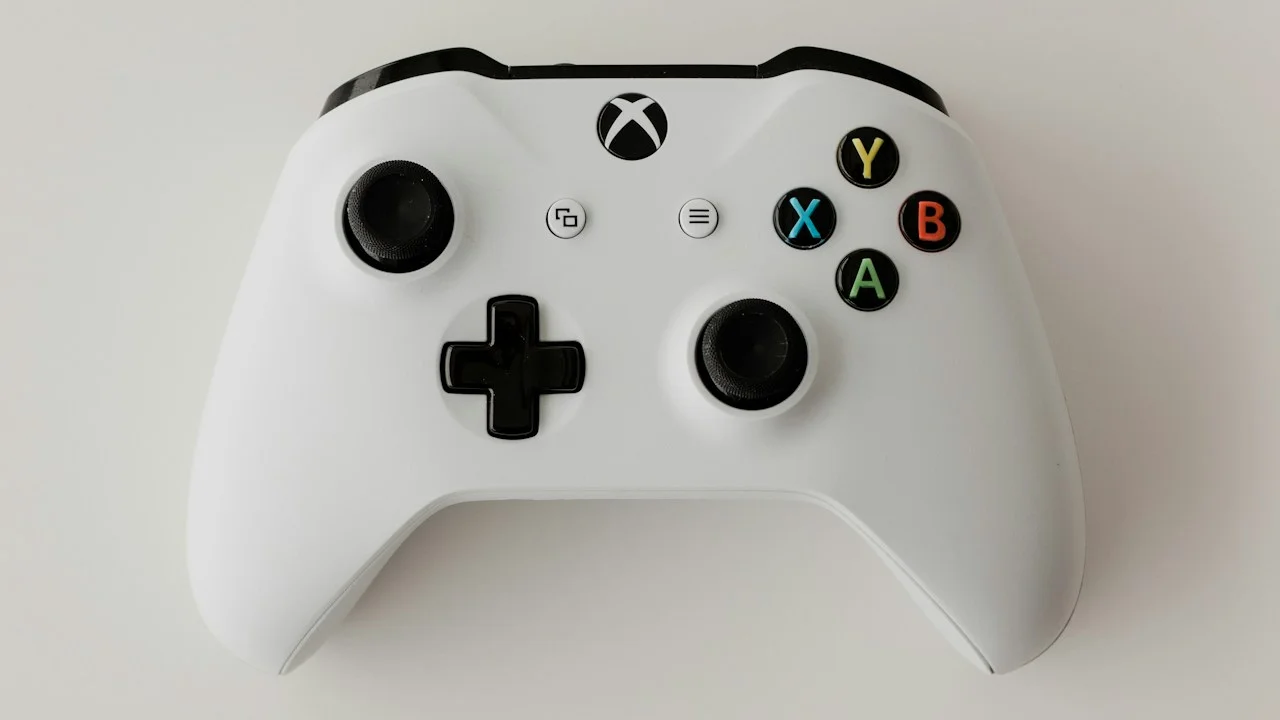
To experience this game as intended, a physical gamepad is mandatory. Snapping the iPhone into a direct USB-C controller like the Backbone One or GameSir G8 instantly resolves the ergonomic nightmare. The game features 100% native controller mapping, complete with customizable trigger deadzones, analog sensitivity curves, and haptic rumble support.
- Cluttered Virtual Touch HUD: Twenty on-screen buttons obscure critical visual horror cues and enemy flanks.
- Mandatory Gamepad Requirement: A direct-connect USB-C telescopic controller transforms the experience into a legitimate portable console.
- Native Button Glyph Support: Automatically displays correct PlayStation or Xbox button prompts depending on connected hardware.
Empirical Performance Benchmarks & Comparison
Resident Evil 4 Remake Mobile Performance Benchmark
| Hardware Platform | Target Resolution | Sustained Frame Rate | Thermal Behavior | PanBloom Playability Rating |
|---|---|---|---|---|
| iPhone 15 Pro Max (Passive) | 1080p (MetalFX) | 22 - 30 FPS (Throttles) | Very Hot (43.8°C Peak) | 7.0 / 10 (Playable with Dips) |
| iPhone 15 Pro (With Active Cooler) | 1080p (MetalFX) | Locked 30 FPS | Cool (29.2°C Constant) | 9.0 / 10 (Rock Solid Console Grade) |
| iPad Pro 12.9 M2 | 1440p (MetalFX) | Locked 30 FPS | Warm (36.4°C Large Surface) | 9.5 / 10 (Flawless Tablet Gaming) |
| Nintendo Switch (Old Gen Baseline) | N/A (Cloud Version Only) | 30 FPS (Network Stream) | Variable Network Lag | 4.0 / 10 (Cloud Latency Flaws) |
Platform Tradeoffs: Premium Pricing and Storage Appetite
Resident Evil 4 Remake is an uncompromising technical milestone, but prospective buyers must weigh its significant operational demands. First is storage: the initial base download plus secondary asset packs consume a massive 58.4 Gigabytes of internal storage. On a baseline 128GB iPhone, installing this single game consumes almost half of your available user partition.
Second is pricing: Capcom sells the game as a full $59.99 AAA release (frequently discounted to $29.99 during Capcom seasonal sales). While it includes Universal Purchase (buying it on iPhone grants access on iPad and Mac via Apple Silicon cross-buy), users expecting a $4.99 mobile budget app will experience severe sticker shock.
Important Note: Ensure you have at least 70GB of free internal storage to complete initial download and uncompressed file extraction.
Important Note: Battery consumption is extreme: expect roughly 38% to 45% battery drain per hour of continuous gameplay.
Important Note: We strongly advise against playing without an external snap-on controller; touch controls are an ergonomic failure.
How to Configure Resident Evil 4 for Maximum Stability on iPhone
Apply these four settings to maximize frame stability and mitigate thermal throttling:
Step 1: Set MetalFX Mode to “Performance”
In Graphics Settings, change MetalFX from “Quality” to “Performance” to reduce internal render resolution and relieve GPU stress.
Step 2: Cap Frame Rate Target to 30 FPS
Do not leave the frame rate unlocked; locking to 30 FPS provides a consistent frame-time pacing curve.
Step 3: Remove Thick Protective Phone Cases
Remove your case while playing to allow the titanium frame and rear glass to dissipate heat into ambient air.
Step 4: Attach an Active Magnetic Semiconductor Cooler
For flawless locked 30 FPS performance without throttling, clip an active MagSafe semiconductor Peltier cooler to the rear backplate.
PanBloom Mobile Gaming Verdict
Resident Evil 4 Remake running natively on an iPhone is an astounding triumph of silicon engineering that heralds the arrival of true AAA console gaming on smartphones. While thermal throttling and extreme battery draw demand hardware respect, playing this masterpiece on a train with a controller feels like living in the future.
Clip on a direct USB-C gamepad, plug in your studio headphones, turn off the lights, and marvel at the fact that one of the greatest survival horror games ever made is running entirely inside your pocket.